Introduction
Choosing an affordable tablet often comes down to screen quality, everyday speed, and battery life. This Amazon Fire HD 10 review examines the black 32GB configuration with 4GB RAM, a 10.1-inch 1080p Full HD display, and an octa-core processor. It is designed for entertainment and everyday tasks, including streaming video, reading, browsing, casual gaming, video calls, and light note-taking.
Amazon lists battery life of up to 13 hours, while a microSD card can add up to 1TB of storage. Those features make the tablet worth considering if you want a large screen without paying for a premium productivity device.
Still, a few trade-offs matter before you buy. The 32GB model provides approximately 24GB of user-accessible internal storage, and Wi-Fi 6 is not supported. The optional stylus also costs extra if handwriting or sketching is part of your plan.
The key question is whether those compromises matter for your routine. The sections below explain what the specifications mean in practical terms and which buyers are most likely to appreciate this tablet.

Amazon Fire HD 10 Tablet Overview
The Amazon Fire HD 10 is a full-size tablet designed primarily for entertainment, everyday browsing, reading, and casual productivity. Its combination of a high-resolution display, 4GB of RAM, and expandable storage gives buyers several useful features without requiring a premium tablet budget.
The black configuration reviewed here includes 32GB of internal storage and 4GB of RAM. Here are the most important specifications to consider before purchasing.
| Specification | Details |
|---|---|
| Display | 10.1-inch Full HD, 1920 × 1200 |
| Processor | Octa-core |
| RAM | 4GB |
| Internal storage | 32GB, approximately 24GB available to the user |
| Expandable storage | Up to 1TB with a compatible microSD card |
| Battery life | Up to 13 hours, according to Amazon |
| Front camera | 5MP |
| Wireless connectivity | Dual-band Wi-Fi, Bluetooth 5.3 |
| Charging port | USB-C 2.0 |
| Headphone connection | 3.5mm stereo jack |
| Dimensions | 9.69 × 6.49 × 0.34 inches |
| Weight | Approximately 15.29 ounces |
| Color | Black |
These specifications suggest a tablet that prioritizes everyday convenience over high-end computing. However, its actual suitability depends on the apps you use, how much storage you need, and whether you expect to perform demanding tasks.
Key Features of the Amazon Fire HD 10
1. 10.1-Inch 1080p Full HD Display
The 10.1-inch screen is one of the Fire HD 10’s most important features. Its 1920 × 1200 resolution provides more than two million pixels, with a pixel density of 224 pixels per inch.
For everyday use, that means text, photos, videos, and websites can appear clear and detailed. The larger screen also makes reading digital books, viewing recipes, and following online tutorials more comfortable than using a smartphone.
The display is particularly appealing for entertainment. Movies and television shows have more room to breathe, while casual games benefit from the larger viewing area.
Amazon also uses strengthened aluminosilicate glass for the screen. This provides an additional durability consideration for a device intended for regular handling.
2. Octa-Core Processor and 4GB RAM
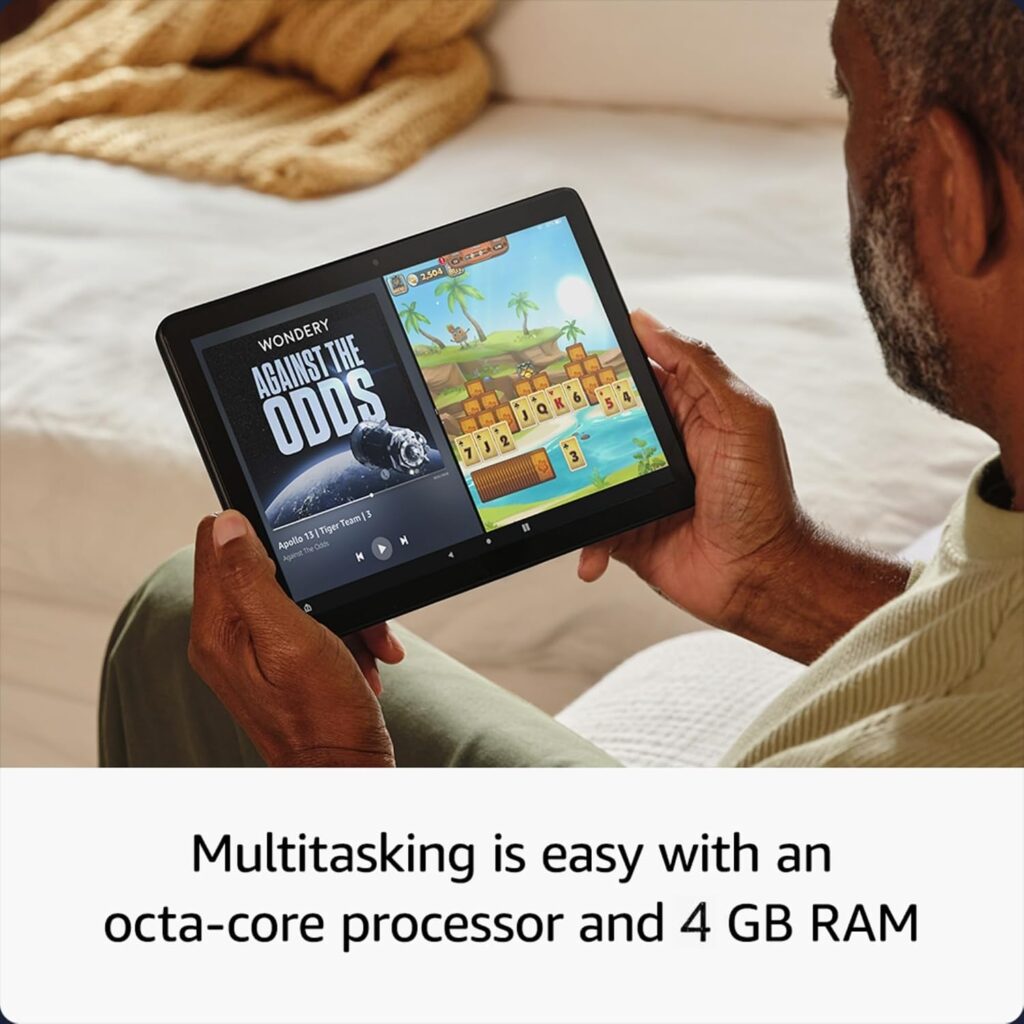
The tablet combines an octa-core processor with 4GB of RAM. These components help the device handle routine activities such as browsing websites, streaming content, reading, and running compatible apps.
RAM is the temporary memory a device uses while applications are running. Having 4GB gives this configuration a reasonable foundation for everyday multitasking, although performance will still depend on the apps and workload involved.
Amazon claims the Fire HD 10 delivers 25% faster performance than the previous generation. That is a manufacturer comparison, not a guarantee that every application will run 25% faster.
For buyers seeking a tablet for ordinary entertainment and light productivity, the hardware is more relevant than headline specifications alone. Those planning intensive gaming or demanding professional work should evaluate their specific software requirements before buying.
3. Battery Life of Up to 13 Hours
Battery life matters when you use a tablet away from a desk or power outlet. Amazon advertises up to 13 hours of reading, web browsing, video playback, and music listening.
That rating makes the Fire HD 10 attractive for long reading sessions, travel, and everyday entertainment. It can also reduce the need to keep a charger nearby throughout a typical day.
However, 13 hours is a maximum advertised figure, not a guaranteed runtime. Screen brightness, wireless activity, downloads, applications, and other settings can affect actual battery life.
The included 9W power adapter can fully charge the tablet in under four hours, according to Amazon. A compatible 15W adapter and USB-C-to-USB-C cable can reduce the advertised charging time to under three hours, but those accessories are sold separately.
4. Expandable Storage for More Content
The 32GB configuration provides approximately 24GB of internal storage for the user. The operating system and preinstalled content account for some of the advertised capacity.
That distinction is important if you plan to download numerous applications, save offline videos, or keep a large collection of digital books.
Fortunately, the tablet supports microSD expansion by up to 1TB. The memory card is sold separately, and Amazon notes that some applications may still require internal storage.
For buyers who mainly stream content online, 32GB may be sufficient for a modest collection of apps and downloads. People who regularly save movies, games, and other large files should consider adding a compatible memory card.
5. Optional Stylus Support and Creative Tools
The Fire HD 10 supports the Made for Amazon Stylus Pen, which is sold separately. Amazon specifies 4,096 levels of pressure sensitivity, allowing the compatible pen to respond to differences in writing pressure.
This feature can be useful for handwritten notes, sketches, annotations, and compatible applications such as OneNote. It adds flexibility for students and casual creative users who prefer writing directly on a screen.
The tablet also advertises three smart tools designed to help polish emails, summarize webpages, and create wallpapers. These features may be useful for people who want assistance with routine writing and creative tasks.
However, buyers should factor in the additional stylus cost if handwriting is a major reason for choosing this model. It is an optional accessory rather than something included in the standard tablet configuration.
6. Family Controls and Alexa Features
Amazon Kids provides parental controls for Fire tablets. Parents can use these controls to help manage children’s tablet experiences.
An optional Amazon Kids+ subscription provides access to additional books, apps, games, videos, music, and audiobooks. Families should check the current subscription terms before relying on its content library.
Alexa is another useful addition. Amazon describes voice-assisted features for activities such as asking questions, getting recipes, reading, and controlling compatible smart-home devices.
These features make the Fire HD 10 more versatile than a tablet used exclusively for watching videos. They are particularly relevant for households that already use Amazon services or compatible smart-home products. Amazon Fire HD 10 review
Amazon Fire HD 10 Review: Performance
The Fire HD 10’s specifications point toward a tablet best suited to everyday entertainment and general use. Its Full HD display provides a good foundation for video playback, while the octa-core processor and 4GB of RAM support routine app use.
For streaming, reading, browsing, and casual gaming, this combination should be suitable for many users. The larger screen is also helpful when switching between a website and a video or viewing documents that feel cramped on a phone.
The distinction between everyday performance and demanding computing is important, though. An octa-core processor does not automatically make a tablet suitable for every modern game, advanced video-editing workflow, or intensive professional application. Compatibility and workload requirements still matter. Amazon Fire HD 10 review
The 32GB storage configuration also deserves attention. Although expandable storage helps, installing numerous applications can eventually make the available internal space restrictive.
Overall, the hardware is sensibly aligned with entertainment-focused use. Buyers should judge it by the tasks they actually perform rather than expecting laptop-level productivity from a tablet in this category.
Design and Build Quality
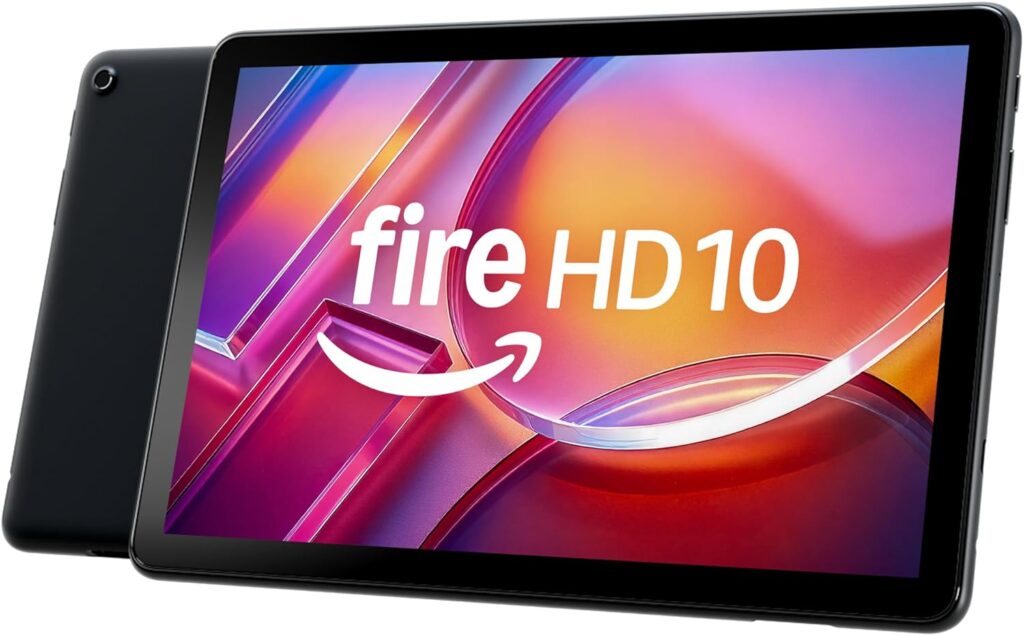
The Amazon Fire HD 10 measures 9.69 inches long, 6.49 inches wide, and 0.34 inches thick. At approximately 15.29 ounces, it remains reasonably portable for a tablet with a 10.1-inch display.
Its slim profile makes it suitable for carrying in a backpack or placing on a desk, kitchen counter, or bedside table. However, it is still a full-size tablet rather than a pocket-friendly device, so buyers who prioritize one-handed portability may prefer a smaller model.
The screen uses strengthened aluminosilicate glass, which Amazon identifies as part of the tablet’s durability-focused design. That is a useful consideration for a device that may travel regularly between home, school, and work.
The black finish gives this configuration a simple, understated appearance. Its practical design suits users who care more about comfortable everyday use than decorative materials or a premium-looking finish.
A protective case may still be worthwhile, especially for children or frequent travelers. Screen strengthening should not be interpreted as a guarantee against scratches, cracks, or accidental damage. Amazon Fire HD 10 review
Product-Specific Performance: Cameras, Audio, and Connectivity
Cameras and Video Calls
The Fire HD 10 includes a 5MP front-facing camera intended for video calls and compatible social applications. Amazon specifically mentions Zoom as a use case.
That makes the tablet useful for keeping in touch with family, attending online meetings, or making video calls while viewing participants on a larger screen.
However, buyers looking for a photography-focused device should examine the camera specifications carefully. The product listing emphasizes the front camera’s communication and content-creation uses rather than presenting the tablet as a dedicated camera replacement.
Audio and Headphone Support
The tablet includes dual integrated speakers and a 3.5mm stereo headphone jack. It also supports Bluetooth 5.3 for compatible wireless audio devices.
These options are convenient for different listening situations. You can use the built-in speakers for casual viewing, connect wired headphones for private listening, or pair compatible Bluetooth headphones and speakers.
The headphone jack is particularly useful if you already own wired headphones and do not want to depend on an adapter or wireless connection.
Wireless Connectivity and Charging
The Fire HD 10 supports dual-band Wi-Fi using 802.11a/b/g/n/ac standards. Amazon explicitly states that Wi-Fi 6 is not supported.
For buyers with a compatible router, this is an important specification to check. The tablet can connect to supported Wi-Fi networks, but it is not the right choice if Wi-Fi 6 support is a strict requirement.
USB-C 2.0 handles charging, and the tablet also includes a microSD slot for storage expansion. These features cover the essential connections for a straightforward entertainment-focused device.
Benefits of the Amazon Fire HD 10
The main advantages become clearer when the specifications are considered in everyday situations.
- A comfortable screen for entertainment: The 10.1-inch Full HD display provides a larger viewing area for movies, shows, books, and websites.
- Suitable everyday hardware: The octa-core processor and 4GB RAM offer a practical starting point for browsing, streaming, and casual gaming.
- Convenient battery capacity: Amazon’s up-to-13-hour rating makes the tablet worth considering for travel and extended entertainment sessions.
- Room to expand storage: A compatible microSD card can add up to 1TB, helping users maintain a larger collection of downloaded content.
- Useful family features: Amazon Kids parental controls and optional Kids+ content give families additional ways to manage children’s entertainment.
- Flexible audio options: Bluetooth 5.3 and the 3.5mm headphone jack support both wireless and wired listening.
- Optional handwriting capabilities: Compatible stylus support adds note-taking and sketching possibilities for users willing to purchase the pen separately.
These benefits make the Fire HD 10 a practical option for people who primarily want a large-screen tablet for everyday activities.
Pros and Cons of the Amazon Fire HD 10
Pros
- 10.1-inch Full HD display with 1920 × 1200 resolution.
- 4GB RAM and an octa-core processor for everyday use.
- Advertised battery life of up to 13 hours.
- Expandable storage of up to 1TB using a compatible microSD card.
- Front-facing 5MP camera for video calls.
- Bluetooth 5.3 and a standard 3.5mm headphone jack.
- Optional stylus support and family-oriented parental controls.
Cons
- The 32GB model offers approximately 24GB of user-accessible internal storage.
- Wi-Fi 6 is not supported.
- The compatible stylus pen and microSD card are sold separately.
- Charging takes under four hours with the included 9W adapter, according to Amazon.
- Advertised battery life will vary with usage, settings, and applications.
These are specification-based trade-offs rather than claims about defects or firsthand testing. Whether they matter depends on your budget, accessories, and intended use.
Who Should Buy the Amazon Fire HD 10?
The Amazon Fire HD 10 makes the most sense for buyers who want a large-screen tablet without paying for high-end computing features they may never use.
It is worth considering for:
- Streaming enthusiasts: The Full HD display is well suited to watching videos and television shows.
- Readers and casual browsers: The larger screen provides more room for books, websites, articles, and digital documents.
- Students: It can support online learning, reading materials, web research, and basic note-taking, particularly with the optional stylus.
- Families: Amazon Kids parental controls can help parents manage children’s tablet use.
- Casual gamers: The processor and memory are aimed at everyday use, including compatible casual games.
- Budget-conscious households: Buyers who want an entertainment-focused tablet may find the feature combination appealing when the price is competitive.
However, this model may not be the best match for everyone.
Users who need Wi-Fi 6 should look elsewhere. People who keep large libraries of applications and offline videos should budget for a microSD card or consider a tablet with more internal storage. Likewise, buyers who need a device for demanding creative applications or intensive professional workloads should compare higher-performance alternatives.
The best purchase is the one that matches your real needs, not simply the one with the largest number of advertised features.
Frequently Asked Questions About the Amazon Fire HD 10
1. Is the Amazon Fire HD 10 worth buying?
It is worth considering if you primarily need a tablet for streaming, reading, browsing, casual gaming, and everyday tasks. Its value depends on the current selling price and whether its storage and connectivity limitations suit your needs.
2. What is the screen resolution of the Amazon Fire HD 10?
The tablet has a 10.1-inch display with a resolution of 1920 × 1200 pixels and a pixel density of 224 pixels per inch. Amazon markets it as a 1080p Full HD display.
3. How much storage does the 32GB model actually provide?
Amazon specifies approximately 24GB of user-accessible internal storage on the 32GB configuration. The remaining space is used by the operating system and other preinstalled content.
4. Can the Amazon Fire HD 10 storage be expanded?
Yes. The tablet supports compatible microSD cards with capacities of up to 1TB. The card is sold separately, and some applications may require internal storage.
5. How long does the Amazon Fire HD 10 battery last?
Amazon advertises up to 13 hours of reading, browsing, watching videos, and listening to music. Actual battery life depends on settings, applications, connectivity, and usage patterns.
6. Does the Amazon Fire HD 10 support a stylus?
Yes. It supports the Made for Amazon Stylus Pen, which offers 4,096 levels of pressure sensitivity. The stylus is sold separately.
7. Does the Amazon Fire HD 10 support Wi-Fi 6?
No. The listing specifies dual-band Wi-Fi using 802.11a/b/g/n/ac standards and explicitly states that Wi-Fi 6 is not supported.
Final Verdict: Is the Amazon Fire HD 10 Worth It?
This Amazon Fire HD 10 review points to a capable entertainment-focused tablet with a few important compromises. Its 10.1-inch Full HD display, 4GB RAM, octa-core processor, and advertised battery life of up to 13 hours make it appealing for everyday use.
Expandable storage adds flexibility, while Bluetooth 5.3, a headphone jack, parental controls, and optional stylus support broaden its potential uses. These features give buyers several practical reasons to consider the tablet for home entertainment, reading, online learning, and casual gaming.
The limitations are straightforward. The 32GB configuration provides about 24GB of usable internal storage, Wi-Fi 6 is unavailable, and accessories such as the stylus and microSD card require additional spending.
My recommendation is to consider the Amazon Fire HD 10 if your priority is affordable, large-screen entertainment rather than high-end productivity. Before purchasing, check the current Amazon price and decide whether the included storage will meet your needs.
If those trade-offs are acceptable, the Fire HD 10 deserves a place on your shortlist. If you need faster wireless connectivity, more built-in storage, or stronger capabilities for demanding applications, compare alternatives before making your final decision.